
Transaction
Transactions are a feature in Nobox.Ai used to record payments related to deals.
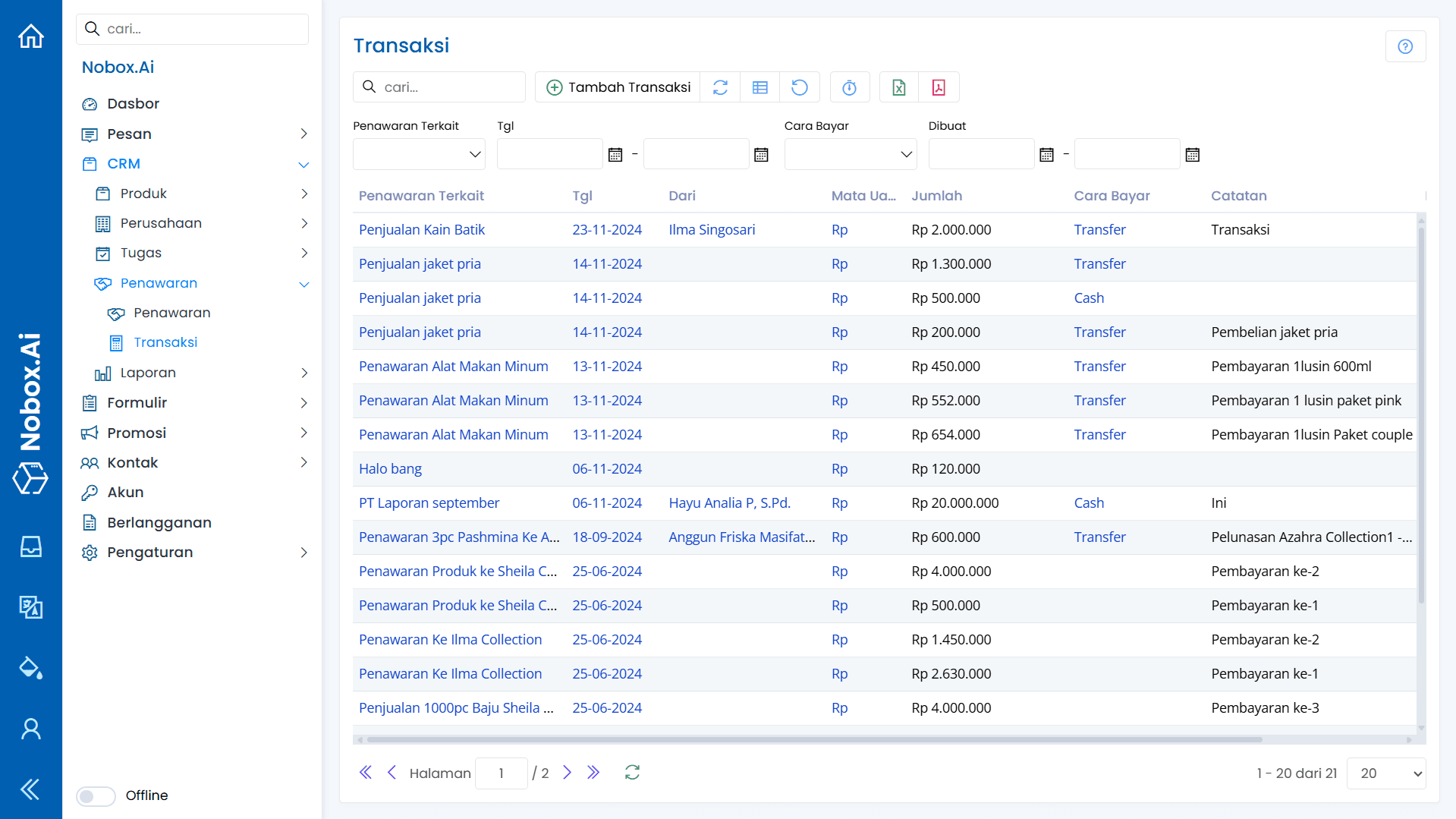
Add Transaction
To add transaction data, please click [Add Transaction] to display the [Add Transaction] dialog.
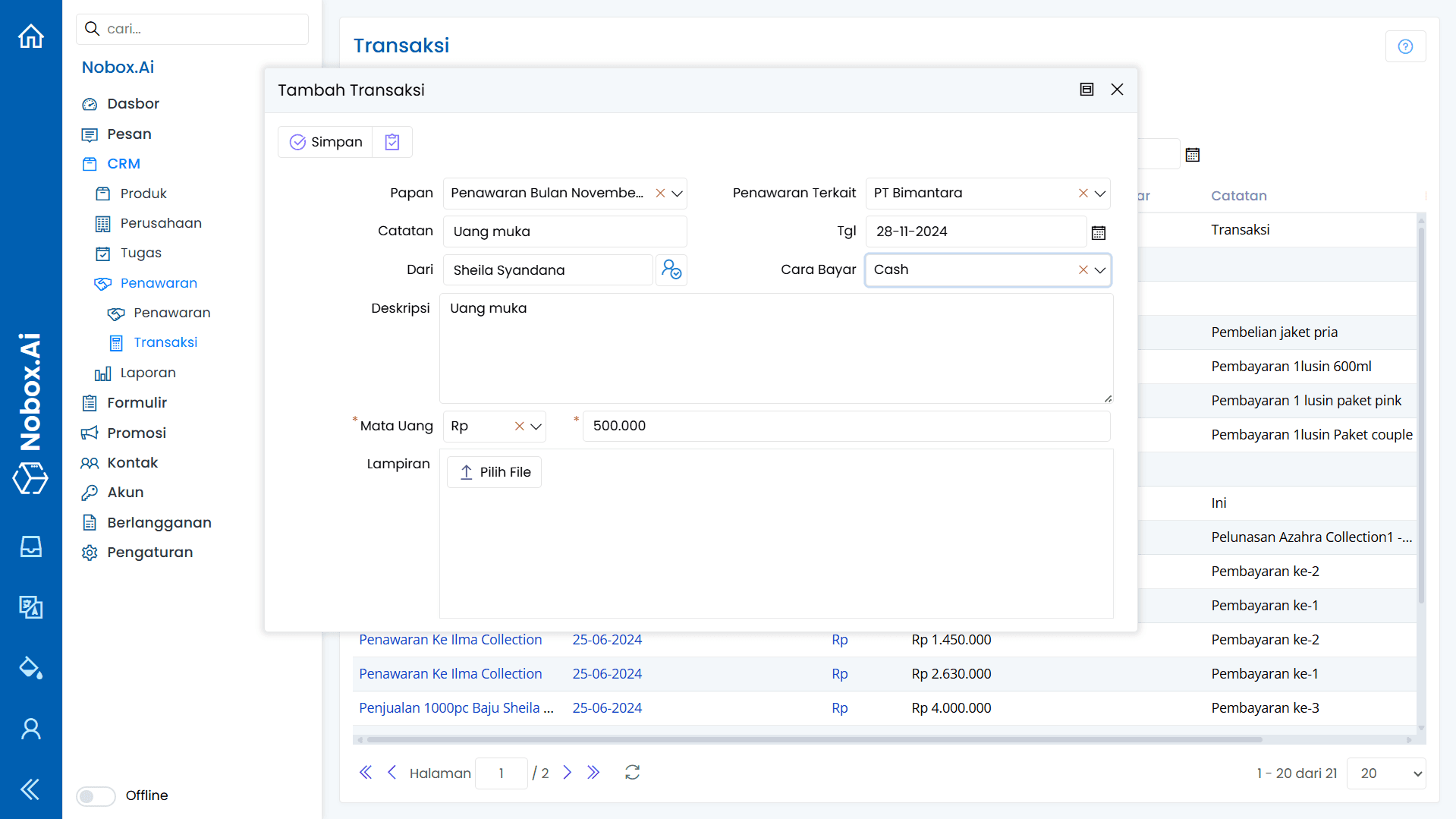
Complete the required fields as illustrated in the following example:
| Entry | Description | Example |
|---|---|---|
| Board | Select Board | November 2024 Offers |
| Related Offers | Select offer data | PT Bimantara |
| Note | Transaction Note | Down payment |
| Date | Select Transaction Date | 28-17-2024 |
| From | Select the contact related to the transaction | Sheila Syandana |
| How to Pay | Payment Methods | Cash |
| Description | Transaction Description | Down Payment |
| Currency | Select the currency and enter the nominal amount. | Rp 500.000 |
| Attachment | Transaction Attachment | - |
If you have completed the entries, click [Save] to save the new transaction data you just created.
Edit and Delete Transaction Data
To edit a transaction record, first select the data you want to edit. Make your changes and click [Save] to save them. To delete a transaction record, choose the data you wish to delete, then click [Delete]. A confirmation dialog will appear asking if you want to delete the entry. Click [Yes] to confirm, or [No] to cancel.
If you encounter any issues or difficulties related to Nobox.Ai, please contact us through Support Ticket