
Configuration Telegram API
Definition
API stands for Application Programming Interface. The term "Application" in API refers to software with different functions.
How to Create a Telegram API
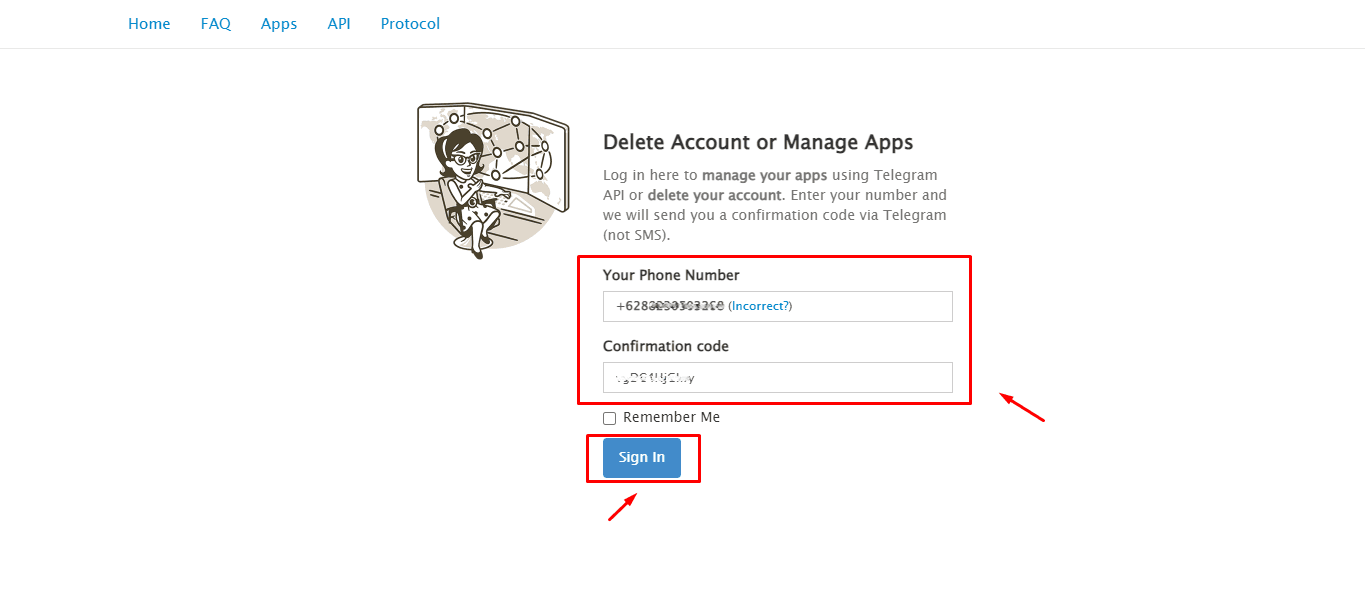
- Please visit the link https://my.telegram.org/auth
- Enter your Telegram number
- Enter the confirmation code via Telegram (not SMS), click [Sign In]

- Visit Telegram's official website and choose API development tools from the Your Telegram Core menu.
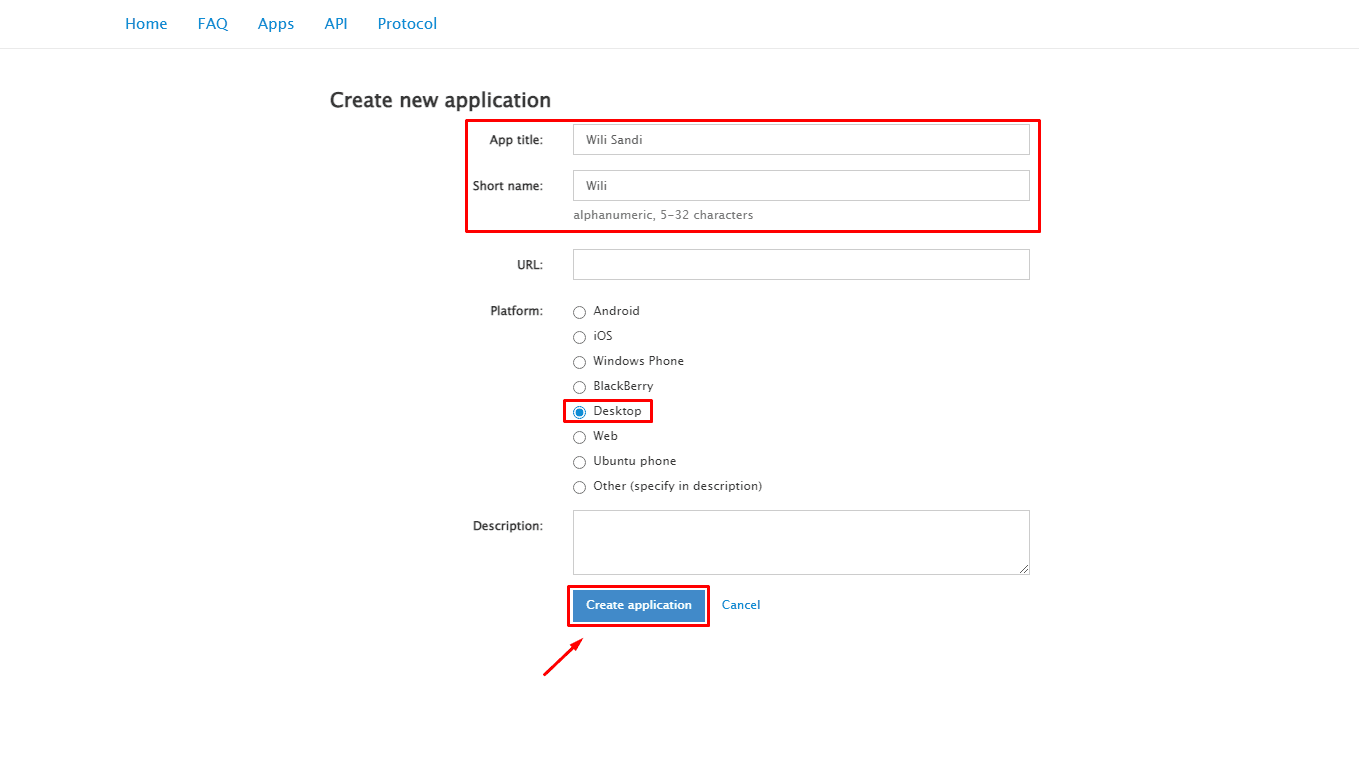
- After selecting API development tools, you will be directed to https://my.telegram.org/apps. Create New Application ➔ fill in the provided fields.
| Field | Description | Example |
|---|---|---|
| App title | The title of your app (Feel free to name your app as you wish) | Wili Sandi |
| Short name | Your short Telegram name | Wili |
| URL | Skip if you don't have a website | - |
| Platform | Choose the platform your application is made for | Desktop |
| Description | Fill in as you wish | - |
Once you have completed the fields, click [Create Application] to save the new API you just created.
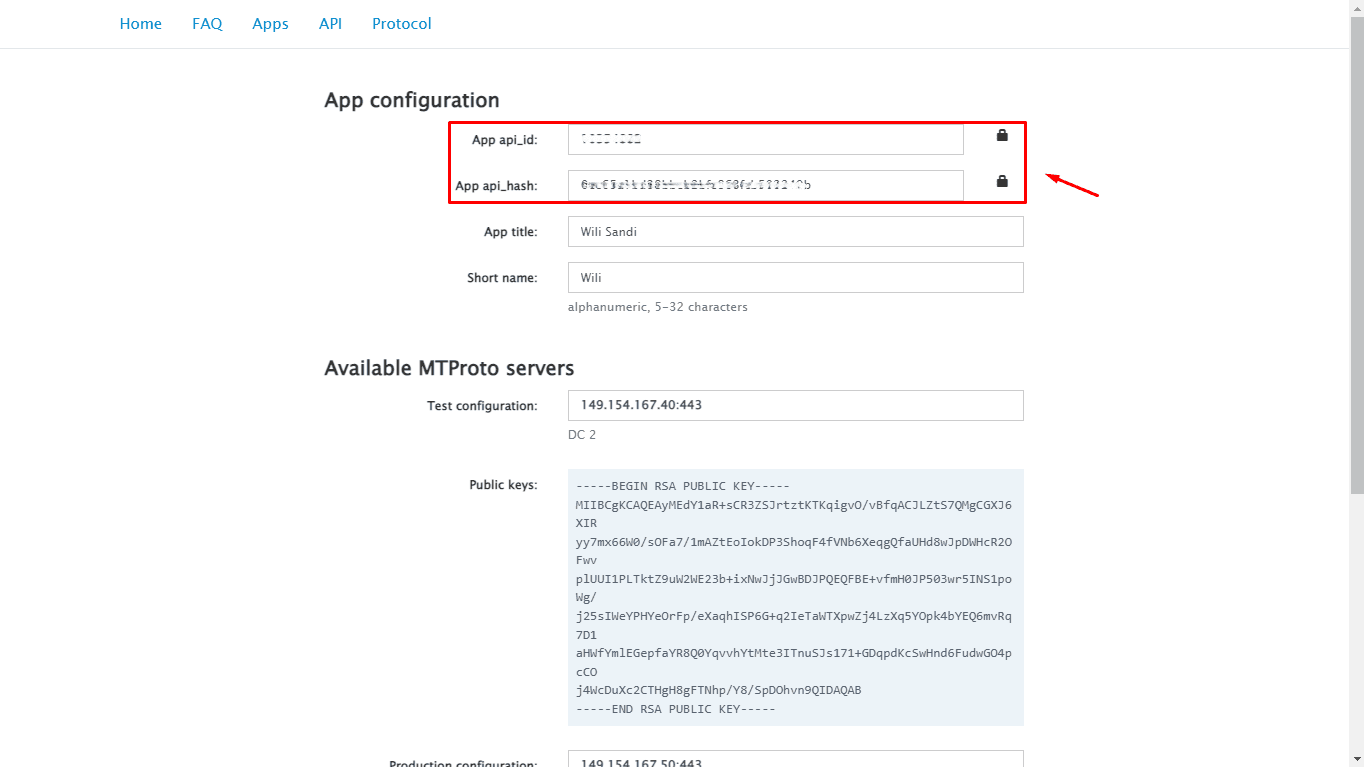
- Copy dan simpan hasil API yang sudah anda buat untuk diterapkan pada pembuatan Account Telegram NoBox.
If you have any issues or difficulties related to Nobox.Ai, please contact us through Support Ticket