
Message Tags
Message Tags is one of the menus in Nobox.Ai used to organize and categorize your message data.
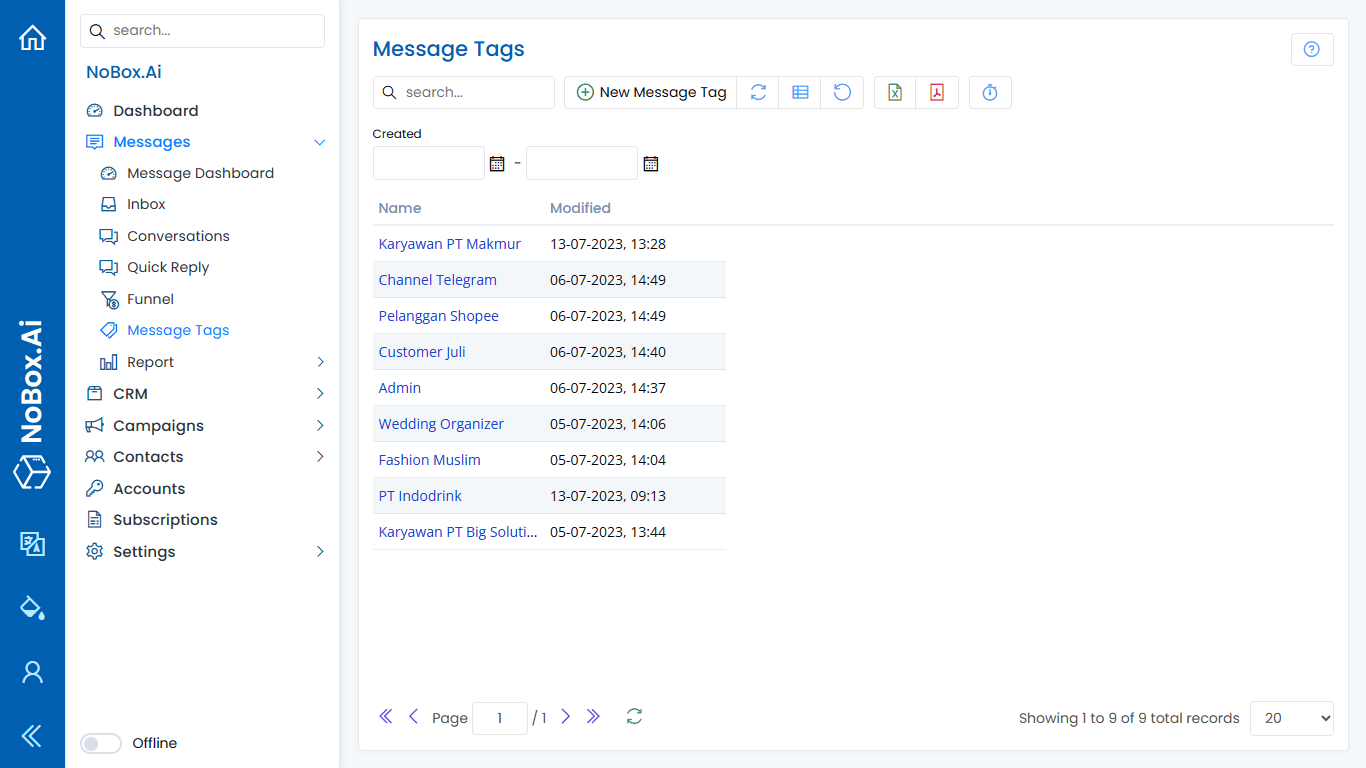
Add Tag
To create a tag, please click [Message Tags] ➔ [Add Message Tag].
The [Add Message Tag] dialog will appear, then enter the tag name in the dialog.
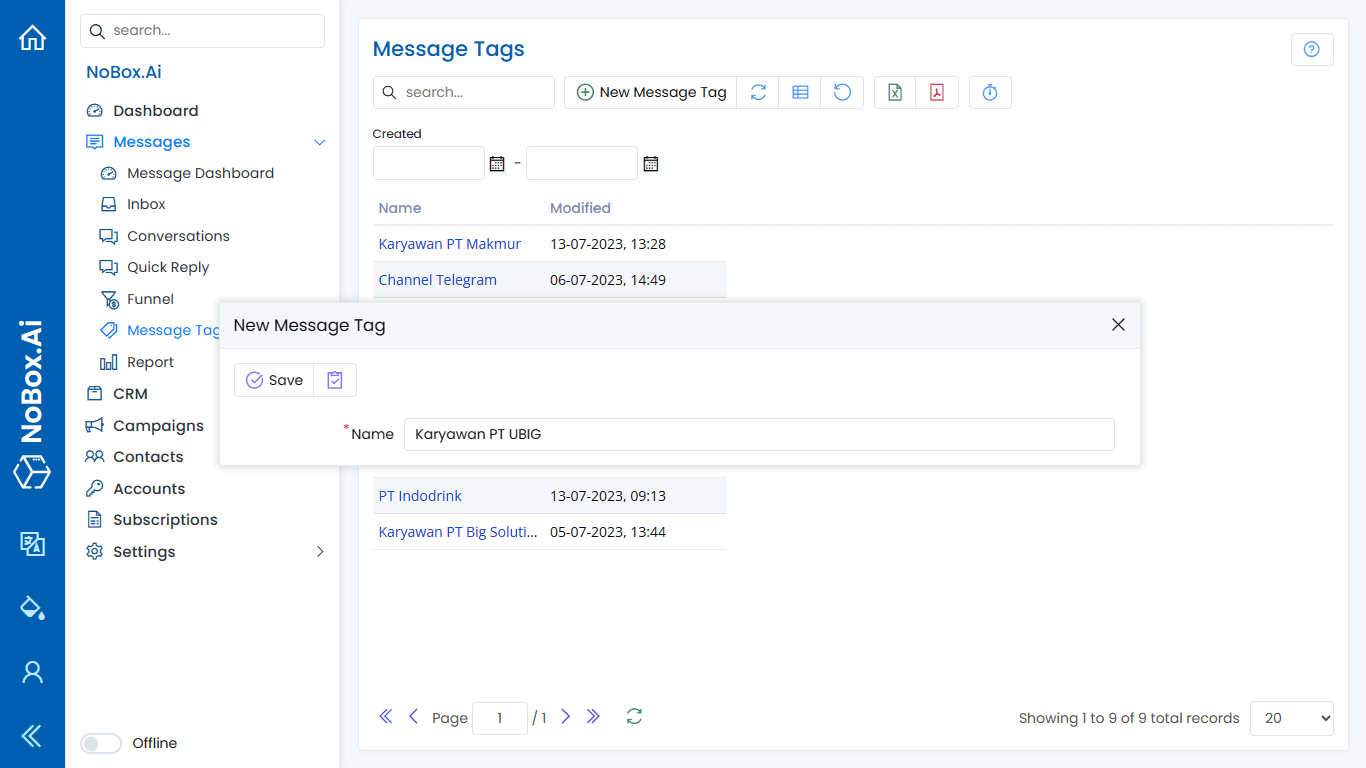
After entering the tag name, click [Save] to store the tag data.
Edit and Delete Tag Data
To edit a tag, first select the tag data you want to modify. Edit the data and click [Save] to apply the changes.
To delete a tag, select the tag you want to remove, then click [Delete]. A confirmation dialog will appear asking whether you want to delete the data. Click [Yes] to confirm or [No] to cancel.
How to Use Message Tags
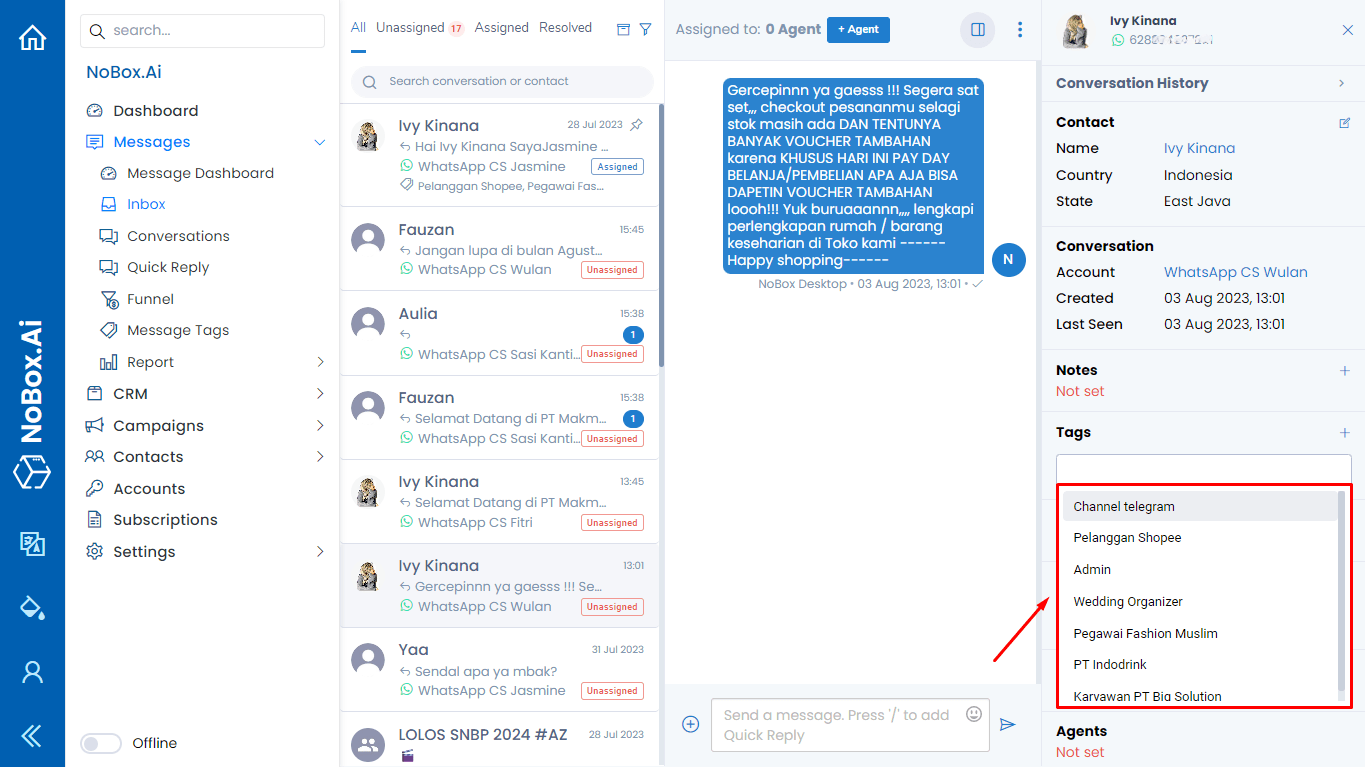
1. Open the [Inbox] menu and select one of the available conversations.
2. Click the [  ] icon to display the conversation details.
Click on the Message Tags section to view previously created tags or add a new tag.
3. Select one or more tags from the available list.
If you experience any issues or difficulties related to Nobox.Ai, please contact us via Support Ticket