
Campaigns
Broadcast Dashboard
Summary of all messaging activities presented in a concise, graphical format with clickable elements to display detailed message data. This menu is also used to monitor the results of promotional message delivery.
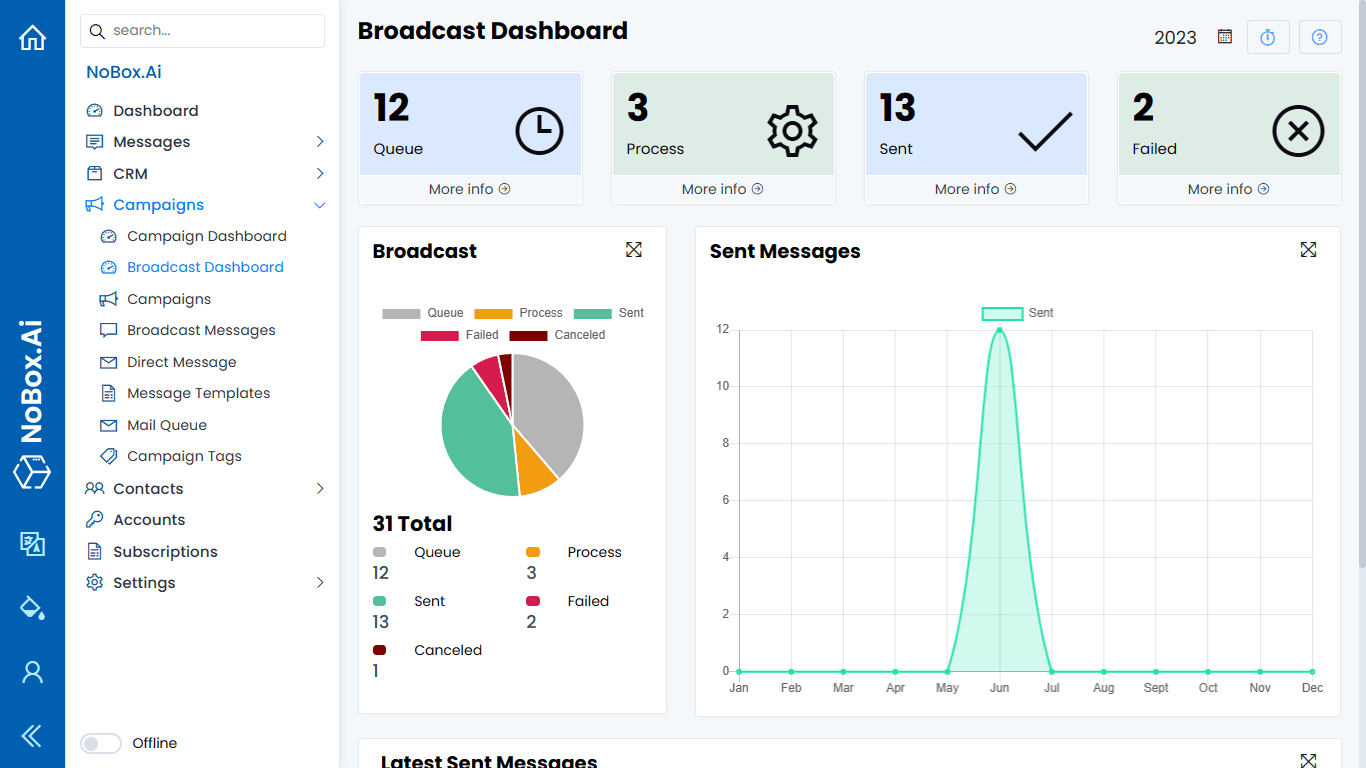
In the display, there are several sections, each with its own function. The explanation of these functions is as follows:
| Feature | Function |
|---|---|
| Queue | Information on the total queued message data |
| Process | Information on the total message data that is still being processed |
| Sent | Information on the total number of sent messages |
| Failed | Information on the total number of failed message deliveries |
| Send Message | Information on total message delivery data based on status |
| Message Sent | Information on the total number of messages sent |
| Latest Sent Messages | Information on the recently sent message. |
If you have any issues or difficulties related to Nobox.Ai, please contact us through Support Ticket